Benefits Enrollment
2027 Benefits
OPEN ENROLLMENT: OCTOBER 5 - NOVEMBER 2, 2026
Passport to Wellness
Open Enrollment is the annual period during the year where employees can change their health plan enrollments and add or edit their dependents. Open Enrollment will take place between Monday, October 5 - Monday, November 2, 2026. Changes made during Open Enrollment will take effect on January 1, 2027.
Throughout Open Enrollment, the Benefits team will host a series of webinars, information sessions, and open office hours. To view the full list of dates, please click on the Open Enrollment Itinerary.
For questions and technical support, please contact our Benefits Team at 619-644-7643 or emailNancy.Hobbs@gcccd.edu.
The District fully covers the costs of premiums for employees and their eligible dependents on all health plans, including medical, dental, and vision insurance.
You'll have a choice between five unique medical plans:
- Kaiser Permanente HMO
- VEBA Direct HMO (Rady Children's, Sharp Community, Sharp Rees-Stealy, UCSD)
- UHC Harmony HMO (Sharp Community, Sharp Rees-Stealy)
- UHC VEBA Alliance HMO (Scripps, Mercy, Optum Care, Rady Children's, UCSD)
- SIMNSA HMO (Cross-Border plan offers services in Mexico)
You'll have a choice between two dental plans:
- Delta Dental PPO
- DeltaCare USA DHMO
You will also be able to enroll in the following vision plan:
- VSP Vision PPO
Open Enrollment Zoom Sessions
Throughout the month of October, Human Resources and several of our benefits partners will be offering presentations and office hours style zoom sessions to answer any of your benefits questions. Please click the link below, or the image to be taken to a list of sessions with links to join or register.
Passport to Wellness Zoom Sessions

Quick reference guides to search for a provider:
- Medical - Kaiser HMO
- Medical - United Healthcare HMO
- Dental - Delta Dental HMO and PPO
- Vision - VSP PPO
Employees may opt-out of enrollment in a medical plan only with proof of other coverage. The following will be required and will need to be attached in the open enrollment task in Workday before submission. Employees that waive medical must still enroll in dental and vision.
- Medical Waiver Form (required annually)
- Proof of other coverage
Please note that the District does not allow for double coverage. Married/Registered Domestic Partner employees who both work for the District cannot be enrolled under each other's plans and their dependent children cannot be enrolled in both employee's plans at the same time.
One employee may choose to waive their own coverage and elect to be enrolled as a dependent under their spouse/domestic partner's plans instead. Waiver stipends may be available to employees waiving medical coverage if certain requirements are met. Please contact the Benefits team for more information and to see if you qualify.
We offer benefits to eligible employees.
The Benefits Eligibility Grid illustrates employee types eligible for benefits.
When Do Benefits Start?
Employees in Group A & D: First of the month after hire OR on date of hire if hire
date is the first of the month.
Employees in Group B & C: Contact Human Resources
What is the Employee Contribution?
The District pays 100% of the premiums for most employees and their dependents!
Group E - Contact Human Resources.
No Duplication of Coverage
Eligible employees and retirees may only be covered under one medical, dental, and
vision plan. If an employee or retiree is enrolled under their own medical, dental,
and vision plan, they may not be "double covered" under another employee's plans.
Dependent children under the age of 26 may only be covered under one District health
plan at a time. Children of married/domestic partnership employees may only be covered
under one plan.
If a dependent covered under a District health plan becomes employed and eligible for their own health benefits, they may choose to enroll in their own coverage OR they may waive medical, dental, and vision coverage and elect to stay enrolled as a dependent.
Waiving Medical Coverage
Employees can opt-out of enrolling in a medical plan with verification of alternative medical coverage. Please complete the Medical Waiver Form and return to the Benefits team.
Medical waivers are available during open enrollment or within 31 days of enrollment in a qualified life event.
Yes! You may enroll your dependent children on your medical, dental, and/or vision plans. You will be required to verify their dependent status, or their coverage may be dropped.
Eligible dependents may stay on their parent's health plans until they reach age 26.
Following your initial enrollment, employees may only change their health plan changes during the annual Open Enrollment period. Changes made during Open Enrollment will take effect on January 1st of the following year.
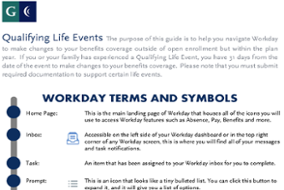
Employees who experience a qualifying life event (QLE) during the year may make changes to their enrollments within 31 days of the life event. During a QLE, employees may add or remove dependents, but they may not make changes to their plan enrollments.
|
|
|
|


Note: Any change you make to your coverage must be consistent with the change in status.
Employees that are not eligible for District benefits can review the offering through the Health Insurance Marketplace through Covered California.
Health Insurance Marketplace Coverage Website